Why Does My Ariens Vibrate Like Crazy?
Date Released: 29 Dec 2025 Category: Blog
You start up your Ariens mower and immediately something feels wrong. There's a vibration that wasn't there before—not just the normal engine hum, but a rattling, shaking sensation that travels up through the handles. Your hands are going numb after twenty minutes of mowing, and you're genuinely concerned something serious is wrong.
Before you start pricing up expensive repairs or convincing yourself the bearings have gone, here's something you need to know: about 90% of the vibration problems we see on Ariens mowers aren't mechanical failures at all. They're loose bolts.
Three specific sets of bolts, to be precise. Blade bolts, deck mounting bolts, and engine mounting bolts. These take enormous stress during operation, they naturally work loose over time, and when they do, you get exactly the symptoms you're experiencing.
The good news? You can check and tighten all three in about ten minutes with a single wrench.
Your Ariens creates tremendous vibration during normal operation. The engine fires hundreds of times per minute. The blade spins at over 3,000 RPM. Every bump or stick sends shocks through the frame. When you engage the blades, there's a sudden jolt as everything spins up to speed.
All this vibration acts on every bolt in the machine. Over time, microscopic movements occur. The bolt threads shift fractionally. Materials compress. And gradually—often so slowly you don't notice—bolts work loose.
This happens on brand-new machines and old ones alike. It's not a defect; it's how mechanical systems behave under constant vibration. The three bolt locations we're focusing on are particularly susceptible because they're right in the vibration path.
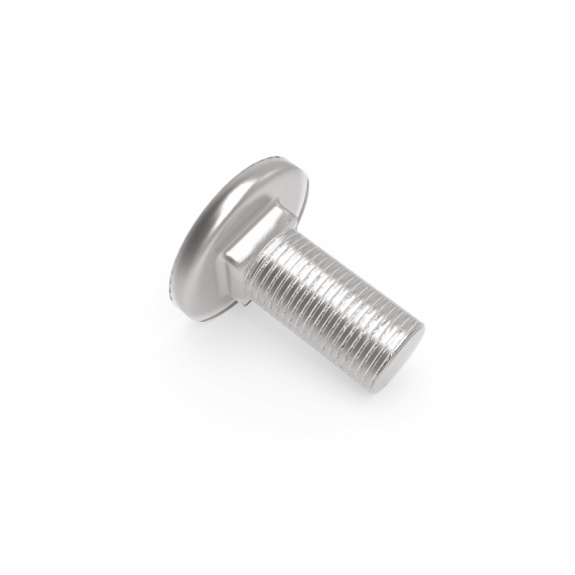
Your blade is held on by a central bolt that takes brutal forces—centrifugal force from the spinning blade, impact loads when you hit something, and constant vibration. When blade bolts work loose even slightly, the blade moves on its mounting hub, creating an imbalance that causes serious vibration.
2. Deck Mounting Bolts
Your cutting deck is suspended by several mounting points—typically four or six bolts. When these loosen, the entire deck shifts and wobbles as you mow. You'll feel this as vibration through the whole machine, and the cut height may become inconsistent.
3. Engine Mounting Bolts
The engine is bolted to the chassis through rubber mounts designed to isolate vibration. Loose engine mounts let the engine rock and shift during operation, throwing off belt alignment and creating secondary vibrations.
The definitive test? Get a wrench on each location and try to turn the bolts. If they move even a quarter turn without much effort, they're loose. Most people are shocked to discover at least one bolt is noticeably loose.
Safety First: Always disconnect the spark plug lead before working on blade bolts.
Blade Bolts
Tip the mower on its side (air filter side up). Use a block of wood or heavy gloves to stop the blade rotating. Find the blade bolt in the centre—typically a 5/8" or 16mm bolt. Try turning it clockwise. If it moves, tighten it firmly. Blade bolts should be very tight—a loose blade at 3,000 RPM is extremely dangerous.
Deck Mounting Bolts
With the mower back on its wheels, locate the deck mounting points at the four corners where the deck connects to the chassis. Check each bolt. Tighten any that are loose—they should be firm enough that there's no play, but you're not trying to strip the threads.
Engine Mounting Bolts
Locate the engine mounting bolts—usually four securing the engine to the frame. Check and tighten each one. Be careful with rubber isolation mounts; tighten until snug but don't overtighten.
Before starting the mower, manually rotate the blade by hand (spark plug still disconnected) and check everything turns smoothly. Reconnect the spark plug, start up, and test. The vibration should be dramatically reduced or gone entirely.
The lesson? Add bolt-checking to your regular routine. It takes minutes, costs nothing, and prevents a problem that feels scary but is actually trivial to fix.
Bent Blade: Remove and lay it on a flat surface. It should sit flat. If one end is higher, it's bent and needs replacing. Damaged Blade Hub: If the mounting surface is distorted, even a new blade won't mount straight. Spindle Bearing Issues: Grab the blade (engine off) and try moving it up and down. There should be no vertical play. If there is, bearings need attention.
Every 10-15 hours or monthly: Quick check of blade bolt tightness and visual inspection of visible bolts. Every 25 hours or mid-season: Thorough check of blade, deck, and engine mounting bolts. Tighten as needed. Start of season: Complete bolt check of entire machine. Any time you hit something solid: Immediately check blade bolt tightness and inspect for damage.
Each check takes two minutes. It's classic prevention—a few minutes saves hours of frustration and potential damage.
If a blade bolt works loose enough, the blade can slip on the mounting hub, damaging it. You'll need a new hub (£40-60) and possibly a new blade (£20-35) rather than just tightening a bolt. In extreme cases, blade bolts can come off entirely—genuinely dangerous.
Loose deck bolts cause the deck to shift, accelerating wear on mounting points. Over time, bolt holes become elongated or brackets crack. We've seen mounting points so badly worn that the deck needed replacing—a £300+ repair that started as a £0 fix.
Loose engine mounts throw belt alignment off, causing rapid belt wear. Engine movement can damage fuel lines, cables, and electrical connections.

We found the blade bolt had worked almost completely loose, damaging the mounting hub. Deck mounting bolts were also loose, and the shifting deck had cracked a mounting bracket. The loose blade had been hitting the deck underside, denting it.
The fix: new blade hub (£55), welding repair (£60), deck straightening (£45), new blade (£28), labour (£120). Total: £308.
If they'd checked and tightened the blade bolt when vibration first started—a two-minute job—the cost would have been zero.
Three locations, ten minutes, one wrench. Tighten everything up, and enjoy the smooth, quiet operation your Ariens was designed to deliver. Add bolt-checking to your regular routine, and this never becomes a problem again.
Before you start pricing up expensive repairs or convincing yourself the bearings have gone, here's something you need to know: about 90% of the vibration problems we see on Ariens mowers aren't mechanical failures at all. They're loose bolts.
Three specific sets of bolts, to be precise. Blade bolts, deck mounting bolts, and engine mounting bolts. These take enormous stress during operation, they naturally work loose over time, and when they do, you get exactly the symptoms you're experiencing.
The good news? You can check and tighten all three in about ten minutes with a single wrench.
Why Bolts Work Loose (It Happens to Everyone)
First, let's be clear: loose bolts don't mean you've done something wrong. This is simple physics.Your Ariens creates tremendous vibration during normal operation. The engine fires hundreds of times per minute. The blade spins at over 3,000 RPM. Every bump or stick sends shocks through the frame. When you engage the blades, there's a sudden jolt as everything spins up to speed.
All this vibration acts on every bolt in the machine. Over time, microscopic movements occur. The bolt threads shift fractionally. Materials compress. And gradually—often so slowly you don't notice—bolts work loose.
This happens on brand-new machines and old ones alike. It's not a defect; it's how mechanical systems behave under constant vibration. The three bolt locations we're focusing on are particularly susceptible because they're right in the vibration path.
The Three Critical Bolt Locations
1. Blade BoltsYour blade is held on by a central bolt that takes brutal forces—centrifugal force from the spinning blade, impact loads when you hit something, and constant vibration. When blade bolts work loose even slightly, the blade moves on its mounting hub, creating an imbalance that causes serious vibration.
2. Deck Mounting Bolts
Your cutting deck is suspended by several mounting points—typically four or six bolts. When these loosen, the entire deck shifts and wobbles as you mow. You'll feel this as vibration through the whole machine, and the cut height may become inconsistent.
3. Engine Mounting Bolts
The engine is bolted to the chassis through rubber mounts designed to isolate vibration. Loose engine mounts let the engine rock and shift during operation, throwing off belt alignment and creating secondary vibrations.
Quick Diagnosis: Which Bolts Are the Problem?
Start your mower and let it idle without engaging the blades. Does it vibrate excessively? If yes, suspect engine mounting bolts. If no, engage the blades. If vibration starts or worsens instantly, it's likely blade bolts. If it increases gradually, check deck bolts.The definitive test? Get a wrench on each location and try to turn the bolts. If they move even a quarter turn without much effort, they're loose. Most people are shocked to discover at least one bolt is noticeably loose.
The 10-Minute Fix
You'll need a socket set or spanners (typically 1/2", 9/16", or metric equivalents) and work gloves.Safety First: Always disconnect the spark plug lead before working on blade bolts.
Blade Bolts
Tip the mower on its side (air filter side up). Use a block of wood or heavy gloves to stop the blade rotating. Find the blade bolt in the centre—typically a 5/8" or 16mm bolt. Try turning it clockwise. If it moves, tighten it firmly. Blade bolts should be very tight—a loose blade at 3,000 RPM is extremely dangerous.
Deck Mounting Bolts
With the mower back on its wheels, locate the deck mounting points at the four corners where the deck connects to the chassis. Check each bolt. Tighten any that are loose—they should be firm enough that there's no play, but you're not trying to strip the threads.
Engine Mounting Bolts
Locate the engine mounting bolts—usually four securing the engine to the frame. Check and tighten each one. Be careful with rubber isolation mounts; tighten until snug but don't overtighten.
Before starting the mower, manually rotate the blade by hand (spark plug still disconnected) and check everything turns smoothly. Reconnect the spark plug, start up, and test. The vibration should be dramatically reduced or gone entirely.
Why Well-Maintained Mowers Get This Too
Here's something interesting: we see this more on well-maintained mowers than neglected ones. Why? Because people who care for their mowers do all the obvious maintenance—oil changes, filter replacements, blade sharpening—but rarely think about checking bolts.The lesson? Add bolt-checking to your regular routine. It takes minutes, costs nothing, and prevents a problem that feels scary but is actually trivial to fix.
When It's Not the Bolts
If everything's tight but vibration persists, consider:The Prevention Schedule
Each check takes two minutes. It's classic prevention—a few minutes saves hours of frustration and potential damage.
The Cost of Ignoring Loose Bolts
Loose bolts aren't just annoying—they cause real damage if left unaddressed.If a blade bolt works loose enough, the blade can slip on the mounting hub, damaging it. You'll need a new hub (£40-60) and possibly a new blade (£20-35) rather than just tightening a bolt. In extreme cases, blade bolts can come off entirely—genuinely dangerous.
Loose deck bolts cause the deck to shift, accelerating wear on mounting points. Over time, bolt holes become elongated or brackets crack. We've seen mounting points so badly worn that the deck needed replacing—a £300+ repair that started as a £0 fix.
Loose engine mounts throw belt alignment off, causing rapid belt wear. Engine movement can damage fuel lines, cables, and electrical connections.
Real-World Example
Last season, a customer brought in an Ariens with terrible vibration. They'd noticed it developing but kept mowing, assuming it was "just getting old" despite being only three years old.We found the blade bolt had worked almost completely loose, damaging the mounting hub. Deck mounting bolts were also loose, and the shifting deck had cracked a mounting bracket. The loose blade had been hitting the deck underside, denting it.
The fix: new blade hub (£55), welding repair (£60), deck straightening (£45), new blade (£28), labour (£120). Total: £308.
If they'd checked and tightened the blade bolt when vibration first started—a two-minute job—the cost would have been zero.
The Bottom Line
If your Ariens is vibrating like it's trying to shake itself apart, don't panic. Grab a wrench, spend ten minutes checking your blade bolts, deck mounting bolts, and engine mounting bolts, and there's a very good chance your problem will simply disappear.Three locations, ten minutes, one wrench. Tighten everything up, and enjoy the smooth, quiet operation your Ariens was designed to deliver. Add bolt-checking to your regular routine, and this never becomes a problem again.